
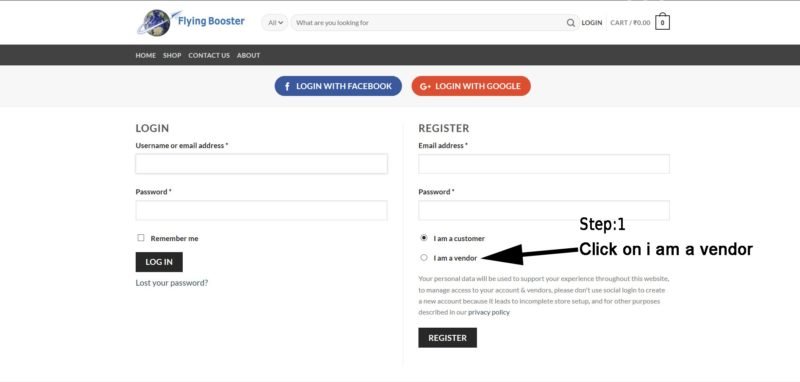
Step 1:- Go to this Link and register yourself as a vendor as shown in the picture above.
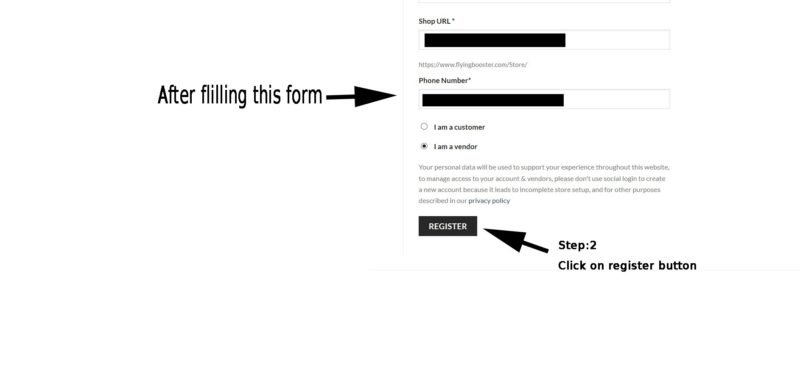
Step 2:- Fill up the form and then click register button in the last.
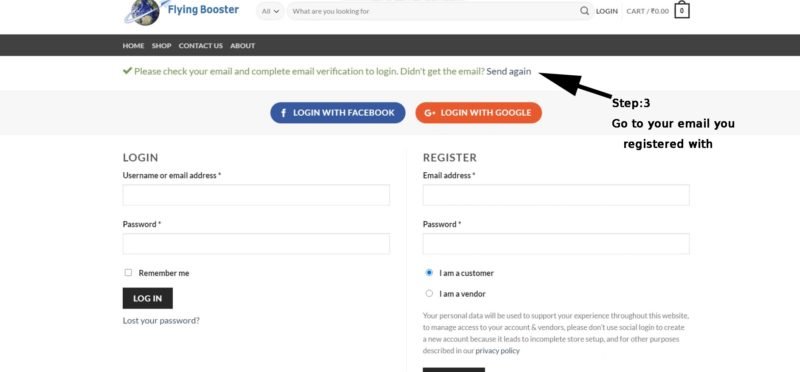
Step 3:- Then you will receive an email from us open your registered mail and confirm your mail.
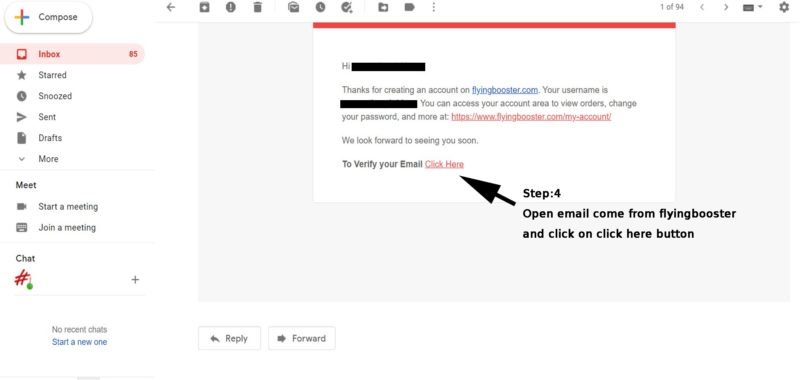
Step 4:- Open your E-mail and click the link to verify your email address
Step 5:- When you click the link you will be redirected to the login page now login into your account by using your registered username/E-mail address and password. Complete the small setup wizard by pressing Let’s Go button.
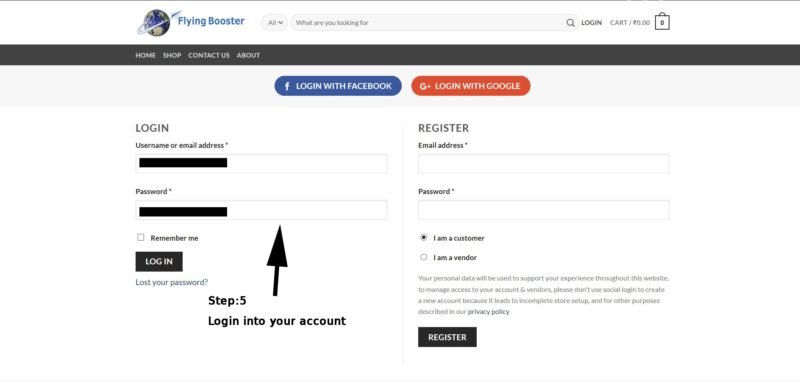
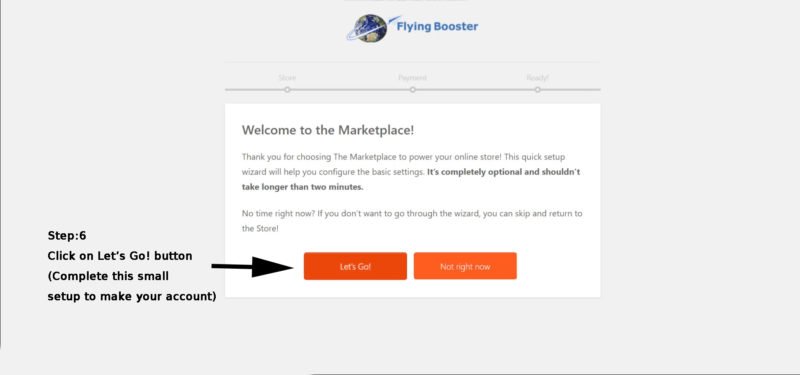
Step 6:- Complete the small setup wizard by pressing Let’s Go button. Setup your store give it a name and fill all necessary details.
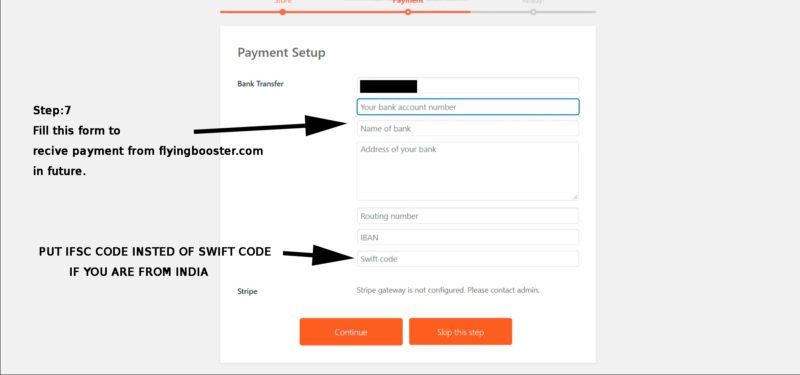
Step 7:- Fill payment details to receive payments from flying booster of the sales you made.
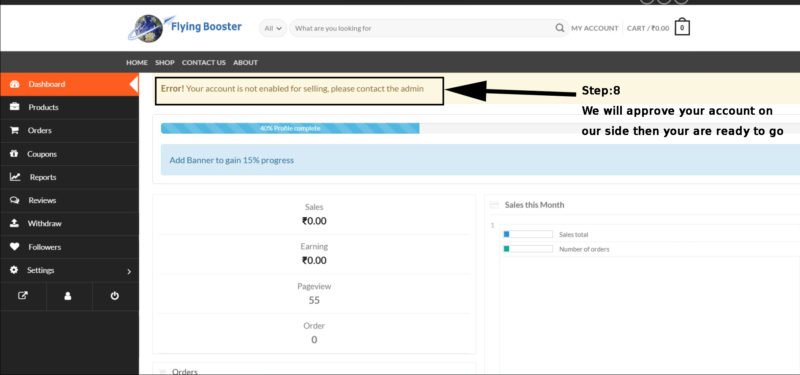
Step 8:- Wait till we approve your account from our side(To get approved please do verification to be a verified seller).
Step 9:- How to submit your document for verification please watch this video.